

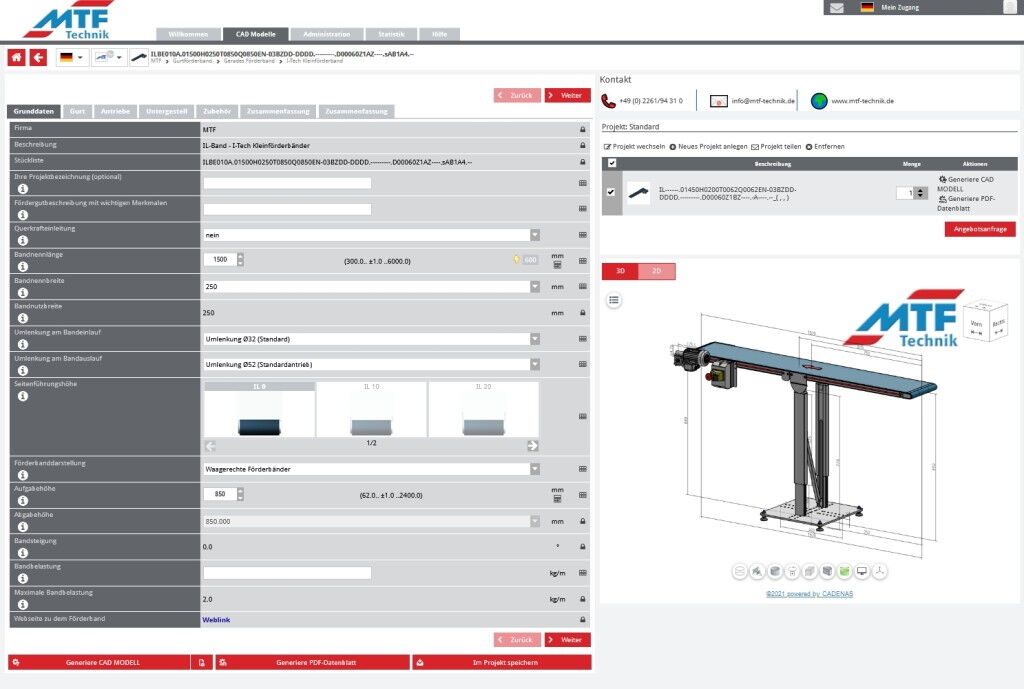
With I-Tech conveyor belts, all desired features, such as dimensions, loading and unloading heights, belt specifications, drive unit, base frame, and various extras, can be selected step by step. The configurator guides the user through the individual program steps and is intuitive to operate. A help function is available for each input field if needed. Furthermore, a plausibility check is performed alongside each input.
After configuration, you receive a complete 3D drawing in all common CAD formats, as well as a PDF data sheet including all relevant dimensions and specifications, and a preview drawing in which the model can be rotated or sections can be taken.
This datasheet can also be forwarded directly to MTF Technik to quickly receive a detailed quote for this selection. Configurations can be saved to a user's individual account and easily accessed and modified for future use.
On our website you can access the product configurator directly via the red tab or here:MTF Technology | Service | Product ConfiguratorIf you have not yet worked with the configurator, you will also find general tutorials here for getting started and the individual functions.
Simply try it out and configure your MTF small conveyor belt now!